
Home Quick Links Legal Site Map  
 
Welcome to Our Network - Call US now on +44 (01438) 300132 - 24/7 x 365 javascript should be on

Contact

Flying Moth Ltd
Alexander House
Mindenhall Court
Stevenage
Hertfordshire
SG13PX
United Kingdom

directions on Google Maps

Tel : +44 (01438) 300132

Email: enquiries@flyingmoth.co.uk

web enquiry form

click to download a business card

desktop PC tower workstation server computer cleaning | computer sterilization

Home About us Case Studies
"Computer filth exposed"
Wednesday,13th September,2000,

The shocking secrets of the life of grime beneath your fingers have been revealed.
Computer keyboards are accumulating up to two grams of dirt every month,
research conducted on behalf of AOL U.K. shows....

Read Full story!
 
"Lifting the lid on computer filth"
Friday,12th March,2004,

Office workers are exposed to more germs from
their phones and keyboards than toilet seats....

Read Full story!
 
"Workers in Health Peril!"
Tuesday,August 10th,2004,

If you are reading this while munching lunch at your office desk,
you would proabably be better off eating in the toilet....

Read Full story!


Did you.....

Spend upto £500,£1000,even £1500+ purchasing your computer?


How long have you had it?,a year?,maybe two?,maybe more?


In this time have you.....


  • Ever cleaned inside your computer or keyboard?

  • Been concerned about germs building up in your keyboard?

  • Employed preventive maintenance?

  • Noticed a burning smell after its been turned on for a while?

  • Found it keeps crashing for no reason or is overheating?

  • Found your computer is running slower than normal or Noticed a general loss in performance?,

  • Found your mouse no longer moves freely?

  • Checked for spyware/Needed spyware removing or your machines online security improved?

  • Had your Homepage or desktop hijacked by illegal software?

  • Used disk maintenance?

  • Worried or been concerned about the health risks of dust/dirt and foreign debris?

  • Not had time,confidence or the knowledge to properly check or clean your computer?

  • Had your Home/office furniture and carpets regularly cleaned?

  • Wanted your machine serviced to improve efficiency?

  • Wanted your computer sterilized?


Introducing our computer cleaning service...

The environment in which computer equipment is kept,and the way in which it is treated,can affect it's life span.Regular cleaning of a p.c.'s components and inspection of it's surroundings may increase the MTBF (Mean Time Between Failure) of many components.

Have a look inside your pc,you may find its full of dust. Or maybe your keyboard contains hard to remove foreign bodies?

Dirt and grime maybe shortening the life and performance of your equipment considerably by clogging electronic devices which can cause overheating or hardware faults,especially if you have located in a dirty or dusty enviroment such as a garage,workshop or maybe a builders yard.

If your working in a sterile environment, build up of dust and germs inside your computer could compromise cleanliness and possibly become over time a health risk.

Also through online use,Spyware maybe making your pc run slower than normal by cluttering up your hardisk withunnecessary files cutting valuable storage space your hardisk needs to run efficiently,slowing down your machine and compromising your online security with spying devices such as trojan horses/worms and viruses.

We provide your P.C. with a full M.O.T. service.

We Would like to offer you the following services which combine to perform a full refurbishment oppurtunity for computers of varying degrees of wear and age,to help keep the machine hygienic and running at optimum performance and assist in preventing many possible future faults, increasing the lifespan of your expensive equipment and lowering the possibility of you having to spend uneccessary money replacing items.

Unlike business orientated computer cleaning services that are aimed at cleaning large numbers of machines in computer rooms and offices and cannot give you a direct quote or provide a service to you,we are also aimed at the home user who only has maybe one or more machines as well as larger firms with offices or data suites.

Regular maintenace can increase the life span of equipment,but can also be very time consuming, maybe you don't have the time or trust your experience enough to risk taking apart and thoroughly cleaning your p.c., Let us take the time to do this for you by having one of our experienced engineers do it instead.

Our fully trained engineers use only approved approved cleaning materials and anti-static tools.

This is where our service can help.

QUOTE;"my computer kept crashing after id turned it on,sometimes upto eight or nine times for no reason.I had the machine checked and found that the hardisk was overheating due to excessive dust blocking electronics.I had the parts cleaned and since then it hasnt done it again!!! i'd saved up £500 to either get it repaired or buy a new computer. Now i can spend that money on other important tasks!!!"

QUOTE;"I found that after a few months use my mouse wouldnt scroll accross the screen like when it was new and it was generally hard to move and very annoying as it took ages to do anything. I had it cleaned internally,now it moves as good as new,so I can keep it and I dont have to buy a new one."

QUOTE;"When i first got my pc connected to the internet it used to work really well, but after a while i found that it would take ages to do anything,then after a while i found my homepage had changed to an advert offering me anything from insurance to pharmecutricals, I tried to change it back but it wouldnt let me and i couldnt use the internet accept to look at this advert.The advert was offering me spyware removal to solve the problems i was having but i knew it was them that were causing it.so i had the machine scanned for spyware and several items were removed,now my pc is back to how it was when i first started and my homepage has returned to normal."

QUOTE;"I had a wireless network installed in my house and found that one of my machines couldn't have the relevent settings made so it would associate with the network. I had the machine scanned for spyware and found that nearly a dozen illegal programs had been installed through my use of the web,which where in turn altering my settings.They where removed and when my p.c. was rebooted it connected to the network instantly!"


When cleaning I.T. hardware you should...

  • NEVER USE A HOME VACUUM CLEANER ON YOUR COMPUTER-THEY CAN PRODUCE LARGE AMOUNTS OF STATIC ELECTRICITY WHICH MAY SERIOUSLY DAMAGE YOUR MACHINE!!.)

  • NEVER USE HOUSEHOLD SPRAY POLISHES ON KEYBOARDS;SILICONE OIL IN THE SPRAY CAN AFFECT SWITCH MECHANISMS.IT IS NOT ADVISABLE TO USE FOAM CLEANER ON KEYBOARDS,AS THE FOAMING ACTION MAY LIFT DIRT PARTICLES AND DEPOSIT THEM IN THE KEY SWITCHES.!!)

  • USE ONLY APPROVED CLEANING FABRICS-HOUSEHOLD TISSUE,HAND TOWELS AND CLEANING CLOTHS LEAVE BEHIND FIBRES THAT CAN CLOG DELICATE MECHANISMS LIKE DRIVE HEADS!!)

  • IF A SCREEN REQUIRES MORE THAN DUSTING USE AN APPROVED V.D.U.SCREEN CLEANER,SOME MONITORS HAVE SPECIAL ANTI-GLARE COATINGS OR MESH FILTERS THAT MUST ONLY BE CLEANED WITH APPROVED SOLUTIONS AND MATERIALS.NOTEBOOK COMPUTER SCREENS HAVE PLASTIC OR POLYCABONATE FRONT PANELS THAT MAY BE DAMAGED WITH THE WRONG CLEANING MATERIALS!!)


  • P.C. CLEAN COMPUTER CLEANING

    Why?
    To prolong the lifespan and reduce the risk of fault's to your hardware you should make sure that it is kept in a dust free condition. Unlike other computer healthcheck services We actually physically sterilize your computer and remove any debris from inside.
    What We'll Do
    Comprising per machine we will fully clean;
    1)CASE.(INSIDE AND OUT)
    Why? Keeps the appearance of your computer looking good.Ventilation locations will be cleaned helping the case keep a steady airflow to the computer,keeping components cool and in good working condition.

    2)MOTHERBOARD AND INTERNALS (I.E.SOUNDCARD,GRAPHIX CARD,MEMORY BOARDS).
    Why? Dust and especially particles of cigarette smoke can build up and corrode circuitry causing various problems such as computer lockups and overheating.

    3)CPU HEATSINK/FAN AND PROCESSOR/HOUSING.
    Why?The processor fan and heatsink are the most likely areas to be clogged with dust in your machine.Keeping these properly clean can stop the risk of overheating.
    If your heatsink is located beneath a fan it can accumulate a lot of debris.This lowers the cooling performance of the fan because over time it can cause the fan to seaze up as it becomes blocked with dust and hairs.

    4)POWER SUPPLY UNIT.(**INLET ONLY)
    Why?The power supply is in constant contact with the outside world and is an inlet and an area where dust can build up then move into your pc aided by your fan.
    (PLEASE BE AWARE**AS STATED ON PSU CASING,IT IS DANGEROUS TO TAKE THESE UNITS APART.WE CAN ONLY CLEAN THE AIR INLET WHICH IS VISIBLE THROUGH THE BACK OF THE CASE-THEREFORE WE DO NOT GUARANTEE BEING ABOUT TO TOTALLY CLEAN INSIDE POWER SUPPLYS ALTHOUGH WE WILL MAKE EVERY EFFORT TO DO SO)
    5)KEYBOARD(CASE,KEYS AND UNDERKEYS)
    Why? Fizzy drinks,Dirt,dust,hair and foreign bodies can cause the keyboard to not function properly and also is an area that can harbour bacteria if left unchecked.

    6)MONITOR(CASE,SCREEN)
    Why?Dirt,dust,fingerprints and cigarette smoke on the screen can impair viewing.Remember how you brought that expensive widescreen tft because of how great they make the picture look,make sure it stays looking great.

    7)MOUSE(CASE AND INSIDE,I.E TRACKBALL)
    Why? A dirty trackball can cause the mouse to be difficult to move and also cause strange mouse motion.Being the most used control on the computer,it maybe the dirtiest or harbouring themost bacteria.

    8)CD-ROM
    Why? A dirty CD-ROM drive or other disc drive can cause read/write errors with Compact discs.
    These read errors could cause software installation problems or issues while running programs.

    9)DISK DRIVE
    Why? Dirty read/write heads on the floppy drive can cause reading and/or writing errors during use.

    10)ALL LEADS
    why?improves the look and hygeine of the computer.Dirty connectors or ones with bent pins can cause malfunctions.


    If you have been using the internet-especially to download files like free software or mp3 music,to improve your online security and hardware's safety by checking for and removing illegal software installed on your machine.We can perform;


    SPYWARE CHECK/REMOVAL

    Why?
    If you've found that your machine is'nt running as fast as it used to be or that you keep getting annoying pop-up adverts when your connected to the internet,spyware is probably to blame,clogging up your hardrive with numbers of illegal programs which also eats up your c.p.u. power as they all try to run on startup making your computer slow or freeze completely.Even if your machine seems as fast as ever you may still have some kind of spyware program accidentally installed without your knowledge which is passing on details of your passwords or online bank account or maybe files on your machine.There is also the possibility of something like a worm or virus totally corrupting your whole operating system and you losing everything.


    What We'll Do
    We will install anti-spyware software to scan your p.c. and remove any malicious software we may find.This will be left if required for your future use.
    After this process we will use system tools to doublecheck for any items that may not have been noticed by the initial process to remove or stop anything we feel may be a risk-(WE DO THIS BECAUSE FREE DOWNLOADED SPY CHECK SOFTWARE PROGRAMS ARE ONLY DESIGNED TO CATCH WHAT THEY HAVE BEEN PROGRAMED TO FIND AND SOME HARD TO FIND ITEMS MAY NOT SHOW UP AT ALL, ALSO NEW VIRUSES AND SPYWARE RISKS ARE RELAESED DAILY AND ANTI SPYWARE PROGRAMS MAY NOT HAVE THE LATEST DEFINITIONS AND INFORMATION TO CATCH THEM UNTIL ITS TOO LATE.)

    Next we will check and install if needed any security updates we have available for your machines operating system.

    Also if needed we will install a software firewall to your machine to help stop spyware being downloaded without your knowledge.

    We will also give advice and diagnosis of where your problem arose from and how best to avoid it in the future.

    WE STRONGLY ADVISE TO ONLY DOWNLOAD RECOMMENDED ANTISPYWARE PROGRAMS AND TO AVOID POP UP ADVERTS OFFERING YOU FREE CHECKS FOR YOUR COMPUTER AND A FULL VERSION OF THEIR SOFTWARE FOR AN AMOUNT OF MONEY.CLICKING ON THESE ADVERTS IS LIKELY TO DOWNLOAD SPYWARE/ADWARE TO YOUR MACHINE,WHICH THEY WILL THEN OFFER TO REMOVE WITH THEIR PROGRAM ONCE THEY HAVE SCANNED YOUR HARDDISK,ALSO ENABLING THEM TO SEE EVERYTHING ON YOUR COMPUTER.

    **!!PLEASE BE AWARE!!**(WE WILL MAKE EVERY EFFORT TO REMOVE ANYTHING WE FIND DURING OUR SPYWARE CHECK AND REMOVAL PROCESS-BUT!!IF YOU HAVE EXPOSED YOUR MACHINE TO LOTS OF SPYWARE PROGRAMS WE MAY NOT BE ABLE TO REMOVE SOME ITEMS WHICH HAVE DEEPLY INFESTED YOUR SYSTEM AND ARE IMPOSSIBLE TO REMOVE-IN CASES LIKE THIS WE WILL ADVISE YOU TO REFORMAT YOUR HARDDISK,WIPING EVERYTHING AND REINSTALLING YOUR OPERATING SYSTEM AGAIN TO START FROM FRESH.THIS IS ENTIRELY AT YOUR DESCRETION BUT MAY BE THE ONLY AND IF POSSIBLE IS THE BEST OPTION TO REMOVE SPYWARE ONCE IT HAS BEEN INSTALLED.)


    To speed up loading times by your machine making it run faster and smoother,we can acomplish,

    DISK MAINTENANCE

    Why?
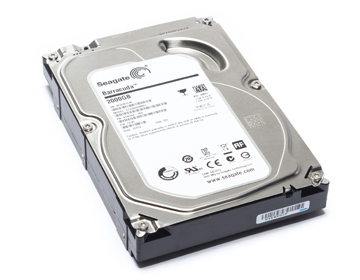
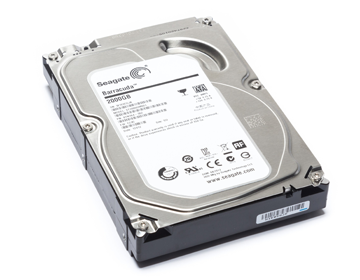
    The hardisk is where all your data is stored inside your computer including the actual operating system that makes it run and is the most important part,While hard drives cannot be cleaned physically, they can be cleaned with various utilities on the computer to help it run faster and smoother.It is reccomended that you defrag your hardisk whenever you notice a reduction in speed or performance.

    Imagine your computer is like a set of filing cabinets,you've put a book containing 100 pages in the cabinet but ithasn't been filed in numbered order and some pages of the book are in different drawers in different cabinets,but you dont know where exactly so you have to look through the entire contents of all the cabinets.If you had to find all the pages it would take a lot longer than if they were all in the same place-this is what your p.c. has to do when it searches for data such as on startup.Over time similar files can become scattered over your hardisk and unused or temporary files the computer creates can slow down search time.

    Disk checks allow your machine to sort and file all similar data together,substantially cutting waiting time because your machine will know where to find things quicker and also throw out all the unused trash that is cluttering it up leaving you with more storage space to utilise.
    What We'll Do
    We will remove unneccessary files you don't use from your computers hardisk and Organize the remaining software on the p.c.enabling your computer to access data faster speeding up the loading process. You may have found that this can be a very long process,which you don't have time to do,let us take the boredom and monotony out of it and do it for you.


    Summary
    P.C. REFURB. M.O.T. is all of the above services combined which will completely clean all areas of your p.c.,from inside to out,helping prevent many possible future faults,breathing new life into old machines by restoring them to their former selfs,ensuring they stay in tip-top condition and running at optimum performance.

    Unlike other companies we actually physically clean and sterilize inside your computer as well as removing spyware and running disk maintenance.
    In todays busy world You may not have the time or you may feel that you don't trust your experience enough to risk deep cleaning your p.c. or trying to remove spyware,let our experienced engineers take the time and worry out of cleaning by doing it for you.

    All of our services are also available separately


    Our Work Process
    If you wish to book an appointment with us we can either arrange to visit you at a time that is convienient for yourself, or you may drop off your machine/s to our office and collect later.
    We take around 1hour to perform each service.
    We will carry out the processes as stated in the service descriptions above.
    Our fully trained engineers use only approved approved cleaning materials and anti-static tools.


    Prices
    P.C. REFURB M.O.T. - Each of our services performed together to give your computer the ultimate makeover,first we clean,then remove spyware and finally run disk maintenance.Also you can rebook for us to visit you at a later date in the year,providing your p.c. with a set M.O.T. check. helping keep it in pristine condition.

    1 OFF M.O.T. £45.00

    TWICE YEARLY M.O.T. (1 P.C. REFURB. M.O.T. EVERY 6 MONTHS - 2 per year) £85.00

    QUARTERLY M.O.T. (1 P.C. REFURB. M.O.T. EVERY 3 MONTHS - 4 per year) £170.00


    P.C. CLEAN. £25.00

    SPYWARE CHECK £20.00

    SPYWARE REMOVAL £25.00

    DISK MAINTENANCE + PC PERFORMANCE OPTIMIZATION £25.00 p.h.


    © 2009 Flying Moth Ltd. - Flying Moth Ltd. is registered in England. Registered no: 05713032.

    Computer Cleaning
    Computer Upgrade
    Computer Repair
    Computer Maintenance
    Computer Data Backup Services
    Computer Data Recovery Services
    Computer Data Erasure Services
    IT Hardware & IT Equipment Products
    ITC Solutions
    IT Hardware system Installation
    IT Support & ITC Management
    Web Design
    Web Hosting
    Email Hosting
    Graphic Design Services
    Server Based Services
    Computer Setup Services
    Computer Security Services
    CAT5E Ethernet Computer Networking
    Indoor Wireless Networking
    Outdoor WLAN P2P Radio Networks
    Voice Over Internet Protocol VoIP
    Bookmark and Share

          enquiries@flyingmoth.co.uk contact customer service Contact Customer Service   Download A Business Card    

    ©MMX Flying Moth Ltd. Alexander House Mindenhall Court 17a High St Stevenage Herts SG13UN
       Flying Moth Ltd. is registered in England. Registered no: 05713032

    Share/Bookmark